Corporate accounts - From single admin to multi-tenant access
Discovering gaps
The original request was to add multi-user support for corporate clients. But the platform had gaps at multiple layers that needed solving first:
01
Solo super-admin
Platform was built around a single super-admin model - one user per account with full access. No way to invite team members or define role-based permissions.
02
Tangled permissions
More than half of the existing permission groups overlapped, with no documentation on what each one did. Admins inviting new users had no clear way to decide which permissions to assign.
03
Inaccessible terminology
Action labels didn't match admin users' mental models. They had to guess what each one would actually do.
04
Incomplete design system
100+ components existed, but built as variants without properties or design tokens. Developers worked with hard-coded values, making changes slow and error-prone.
Defining the permission experience
Most of the work happened before any UI emerged - auditing existing concepts, consolidating overlapping functions, regrouping them around common finance use cases. With that foundation in place, I explored how admins would actually navigate the new model: multiple IA structures, and the invite flow where they assign permissions to new users.
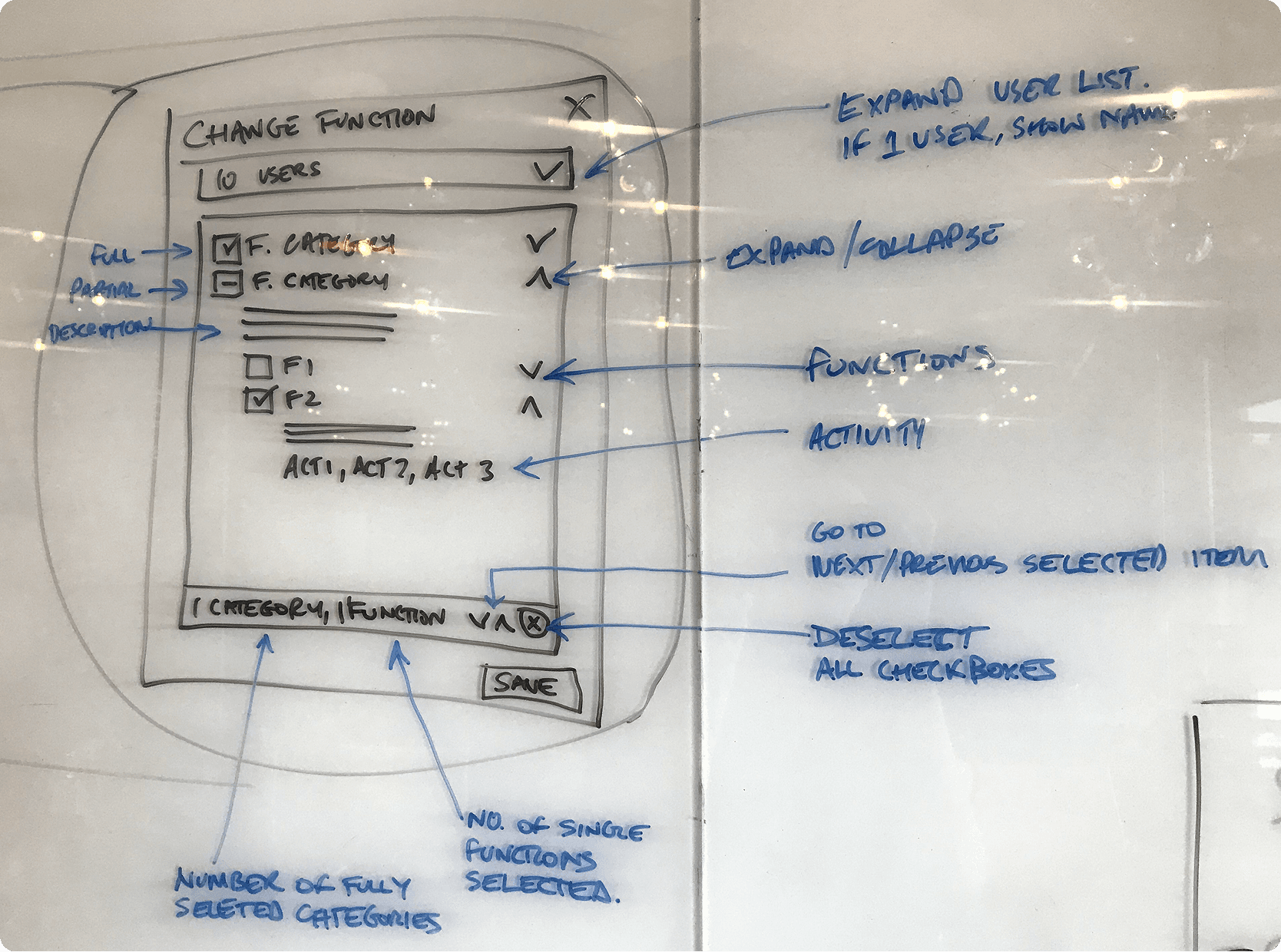
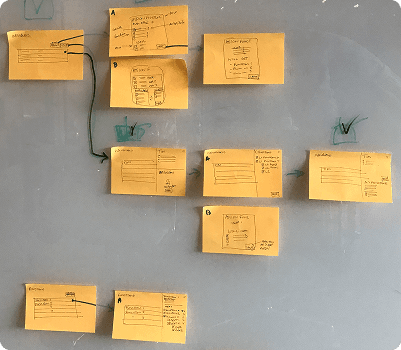
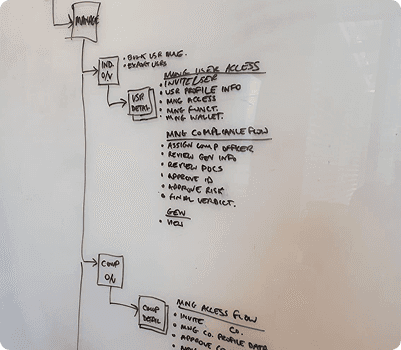
Sketching the admin IA, user invite flow, and permission selection
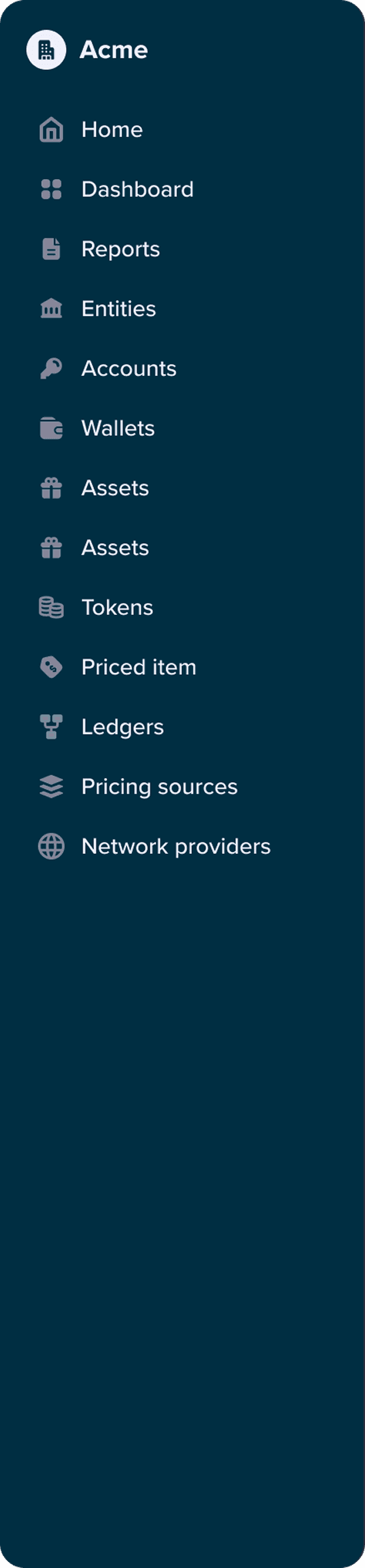
Old IA: structured around micro-services, not user workflows
Building the UI foundation
With the new IA and permission model in place, moving to high-fidelity design surfaced another gap - the Design System wasn’t ready for it. To unblock UI work, I introduced our first set of design tokens, adopting Material as the foundation. Our developers already knew the framework, and its pre-loaded interaction states and elevations saved us months of groundwork.
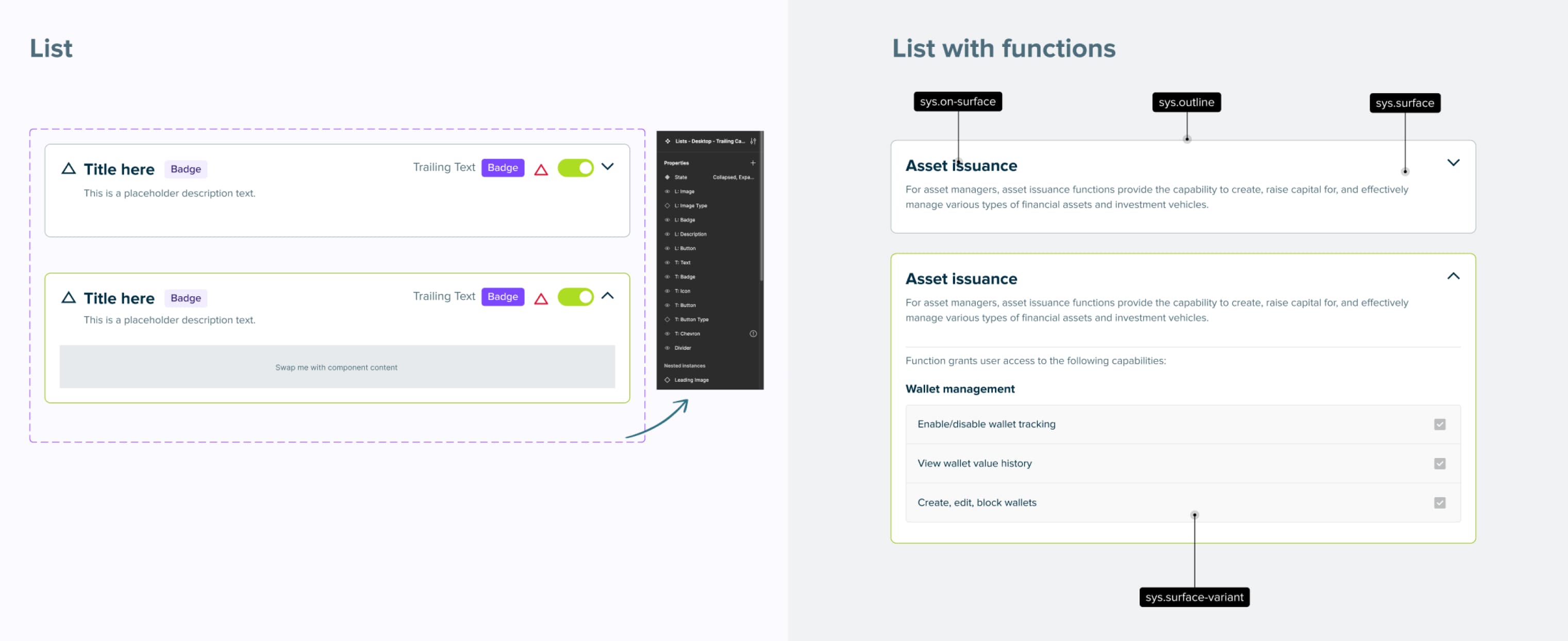
Design tokens and clear principles laid the foundation for a more consistent, scalable UI
What we shipped
We delivered a user management and role-based permission system that lets corporate clients manage internal teams, companies, and external users - replacing tedious admin workflows with a structured, multi-tenant model.
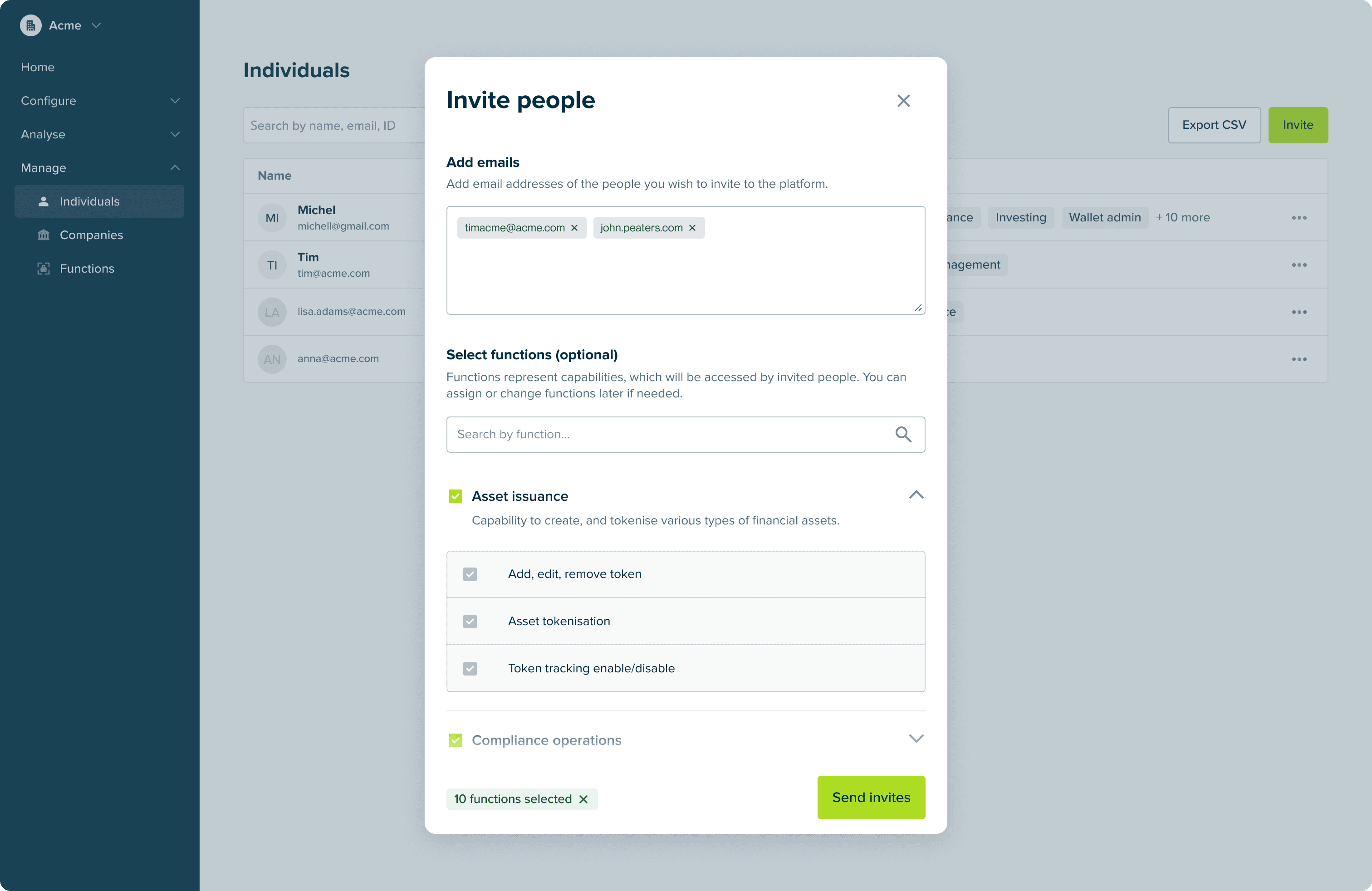
Function-based permissions match the precision admins need for external access
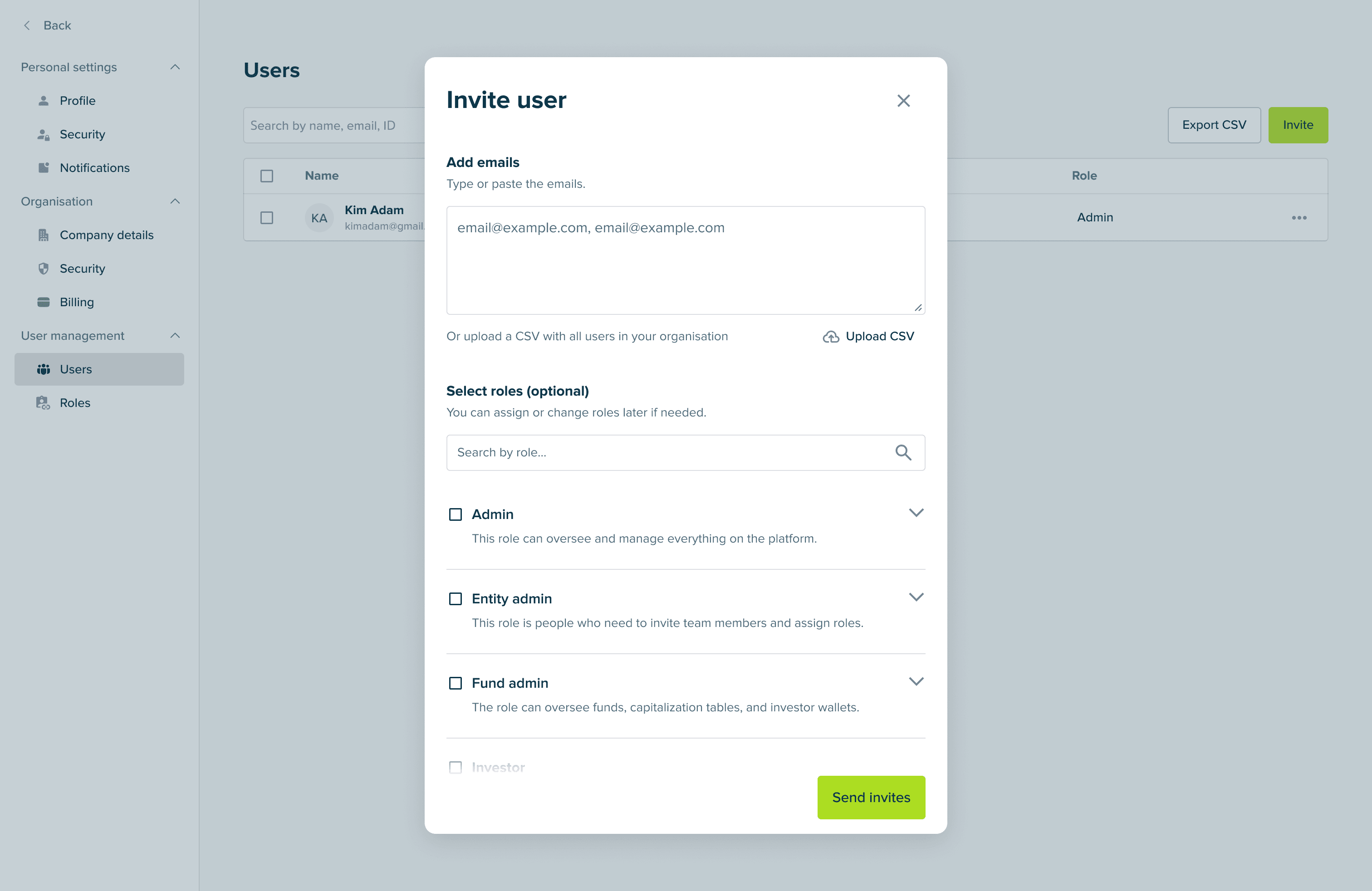
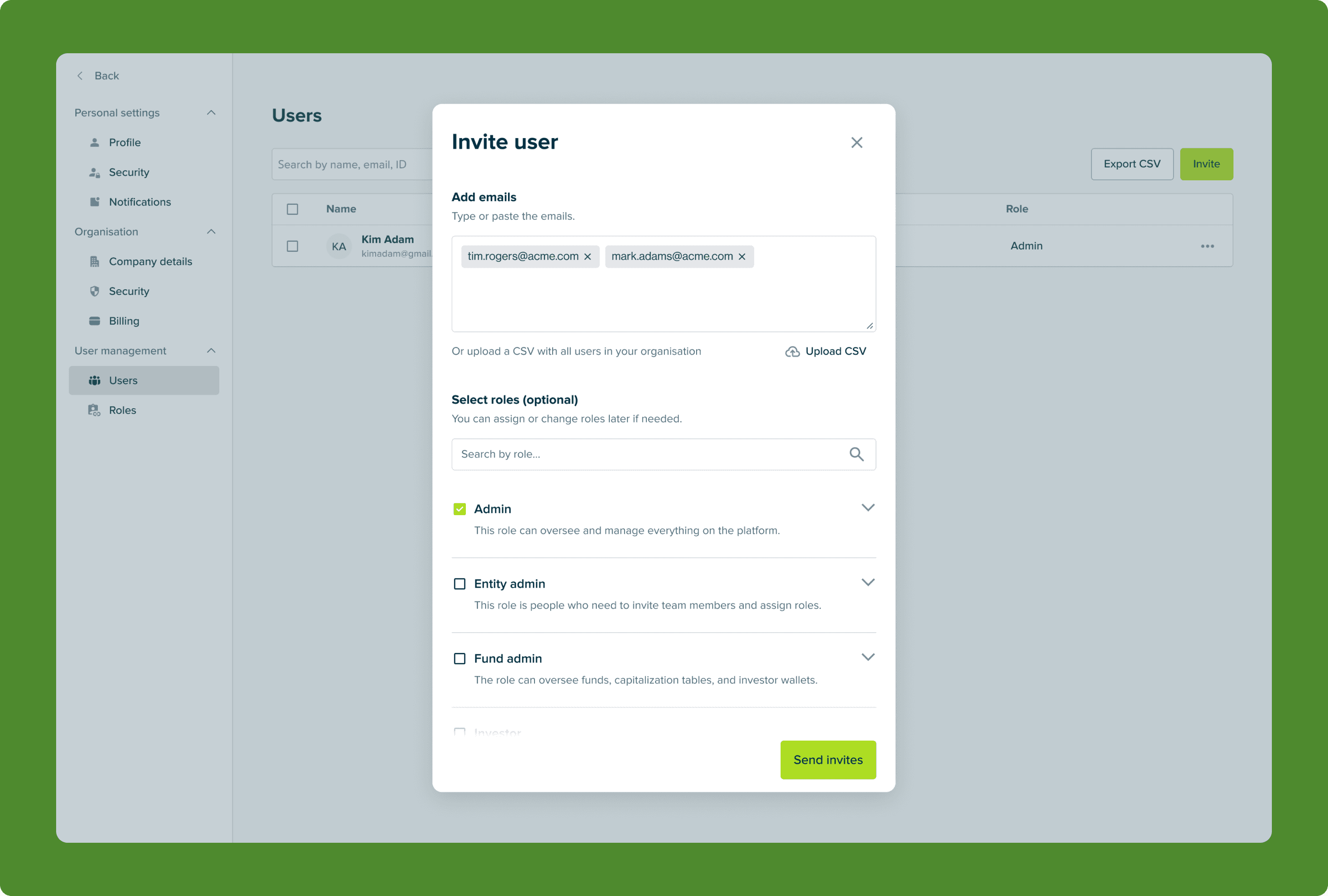
Admins can invite users and assign roles in one step—with each role’s permissions visible up front
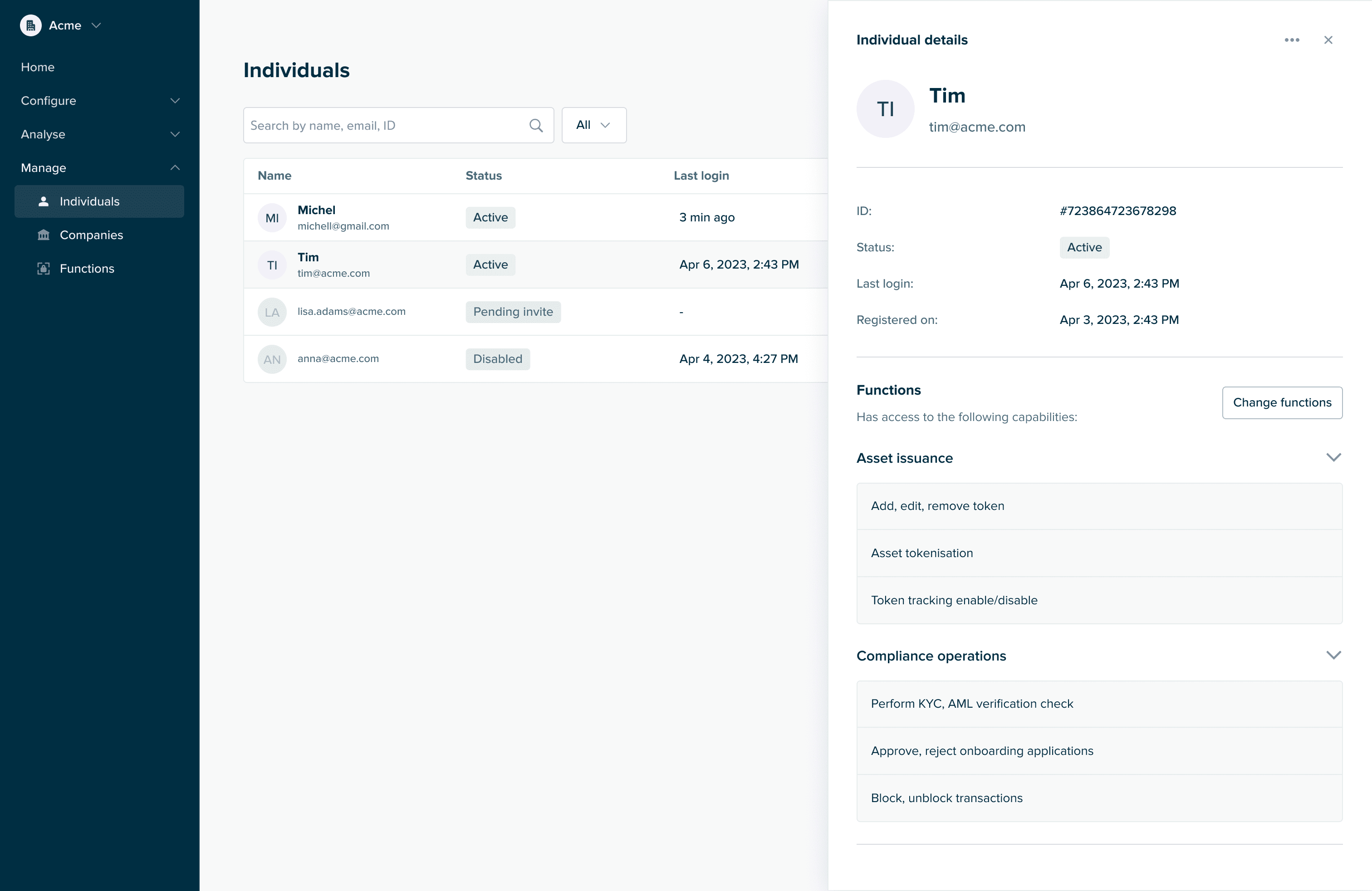
Side drawer: quick preview of users, companies, and other entities
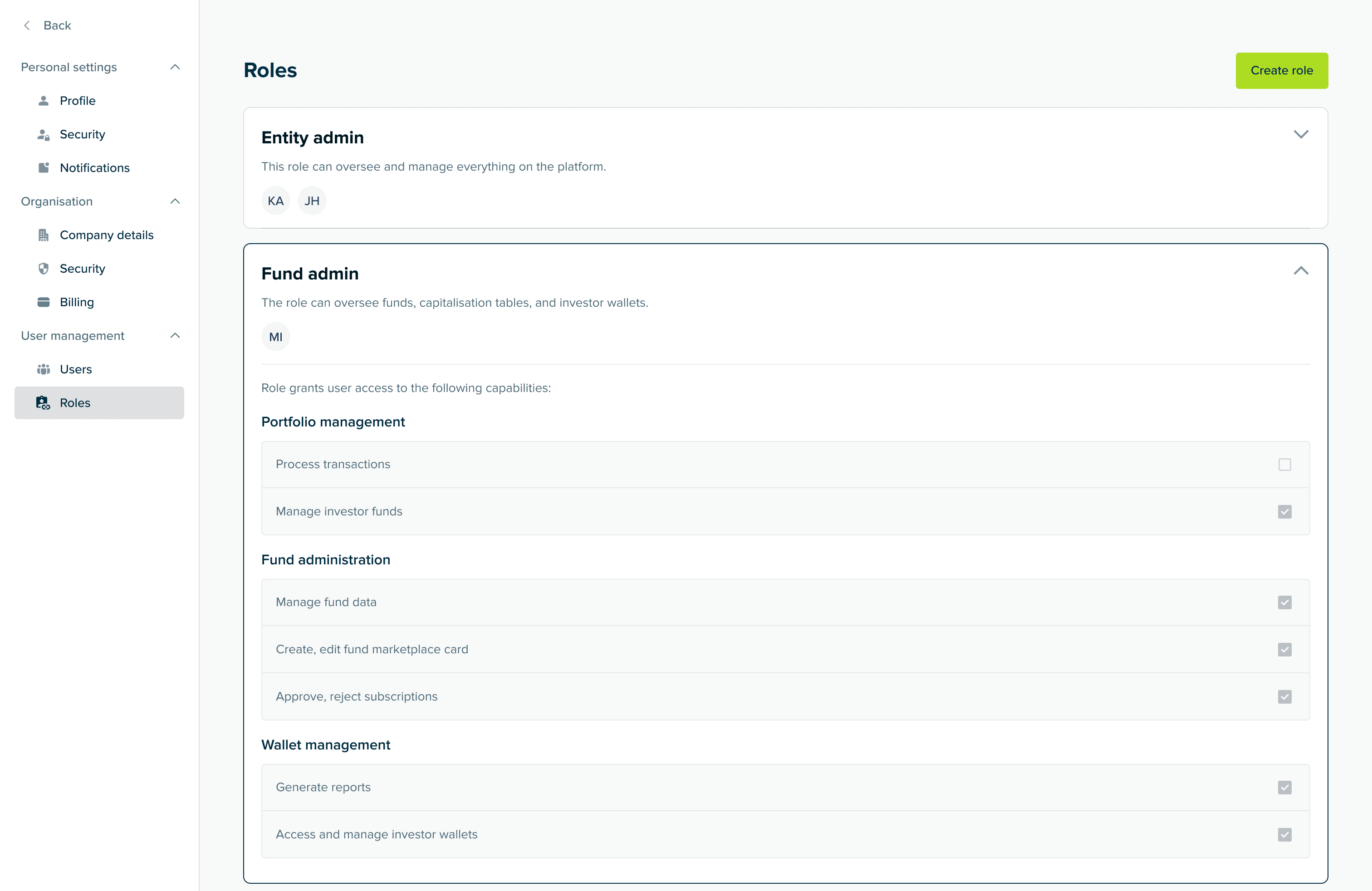
Dedicated section for managing roles and permissions
Multi-user support
Corporate accounts and user management became the first major milestones on the roadmap toward enterprise clients, not just individual users.
Intuitive IA
We redesigned the side navigation to make it easier for users to find and interact with resources. This is an ongoing process - our IA will continue to adapt to the product and user needs.
More consistent UI
Design tokens and shared principles laid the foundation for a more consistent UI - and a faster handoff between design and engineering.