Bulk trading - One trade, many portfolios
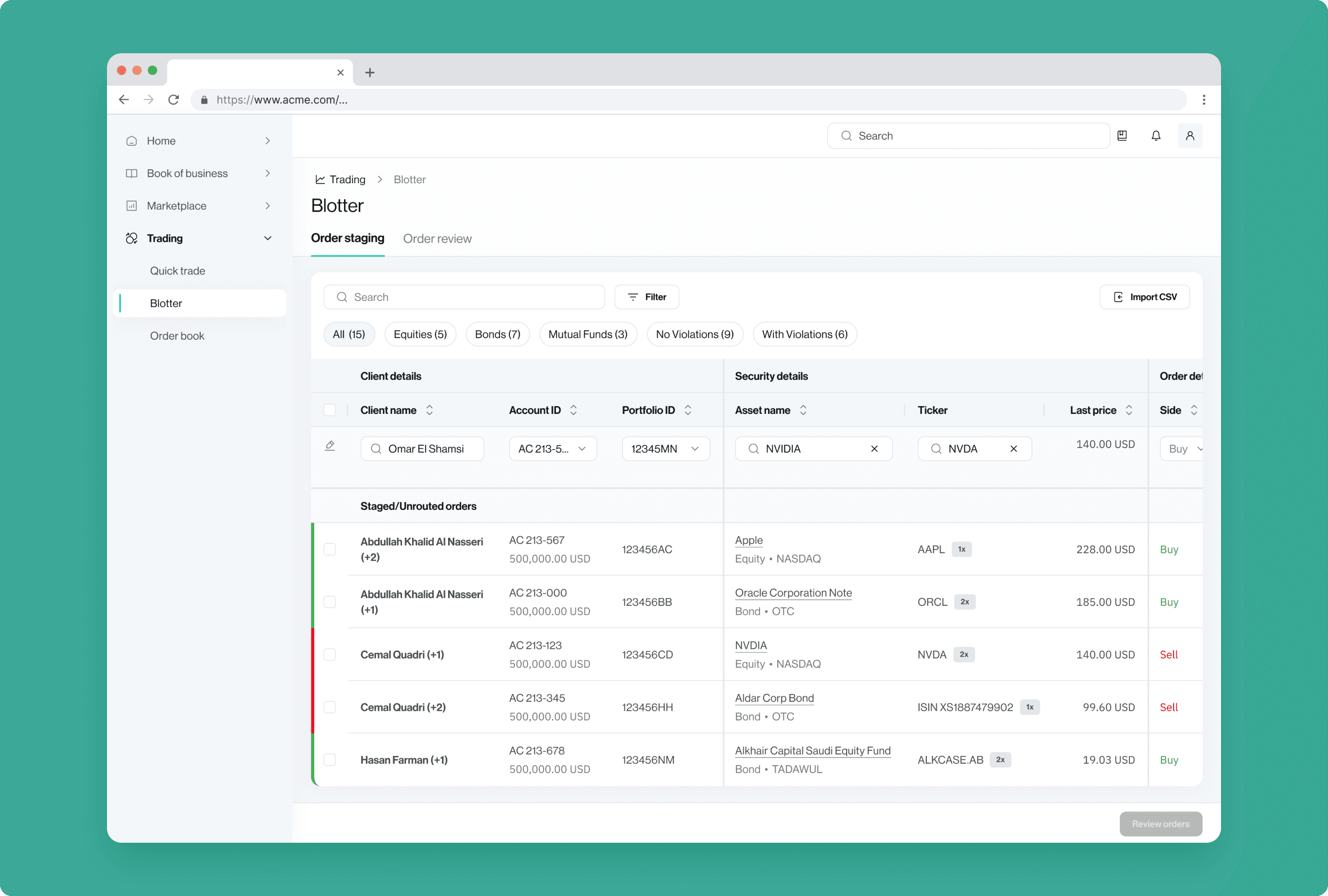
Where we started
Before bulk trading existed, the platform only supported single-portfolio orders. To execute a multi-portfolio trade, managers had to manually repeat the entire order entry process - once per account.
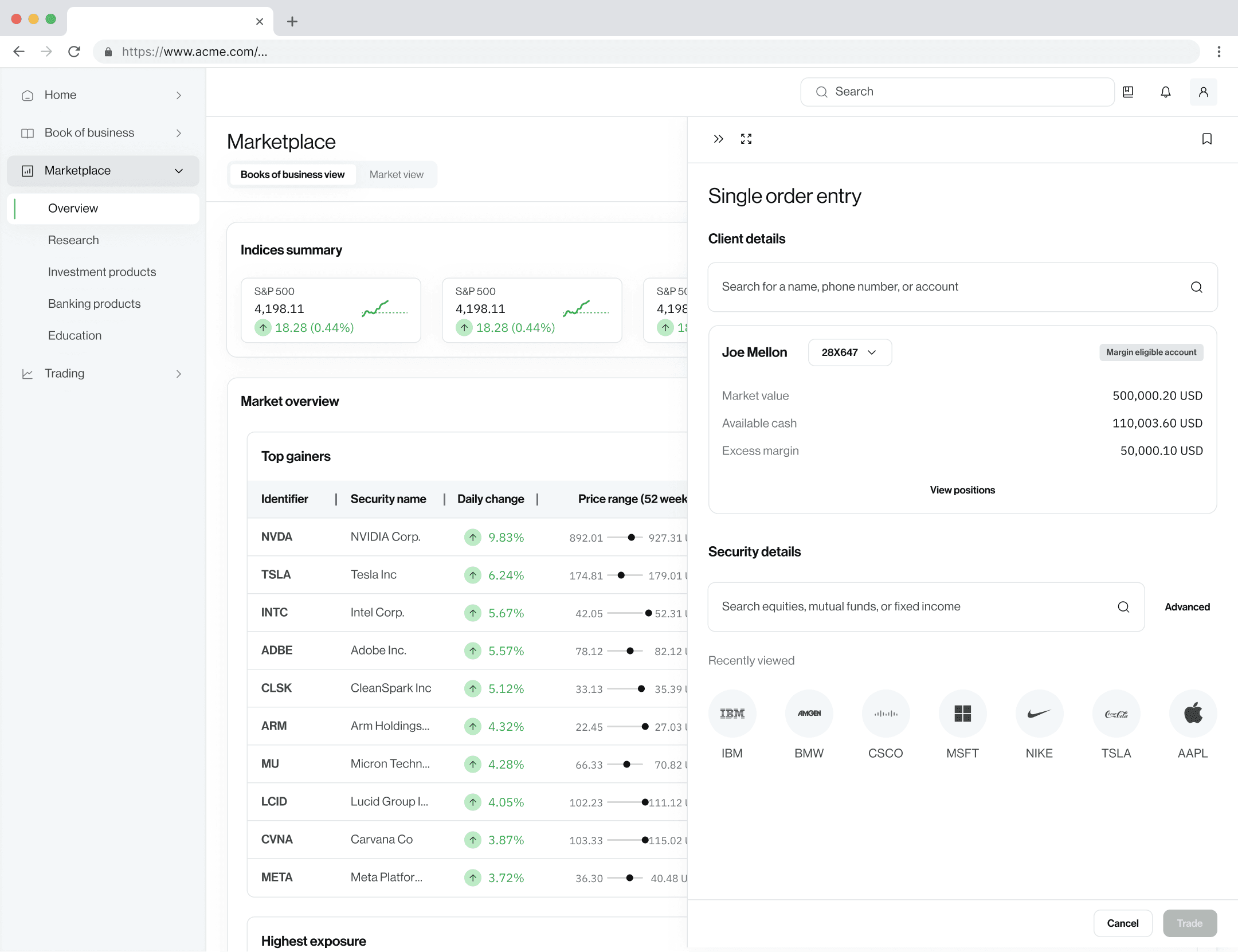
Re-keying the same trade details for every portfolio
10 clients = 10 manual orders
Staggered orders → different execution prices across accounts
Compliance violations only surface at the review stage
Senior portfolio managers need override flows with full audit trails
Understanding the trading workflow
In workshops with client teams and trading SMEs, we examined the full lifecycle of a trade - from deciding which asset to buy or sell, executing the order, and finally reviewing it.
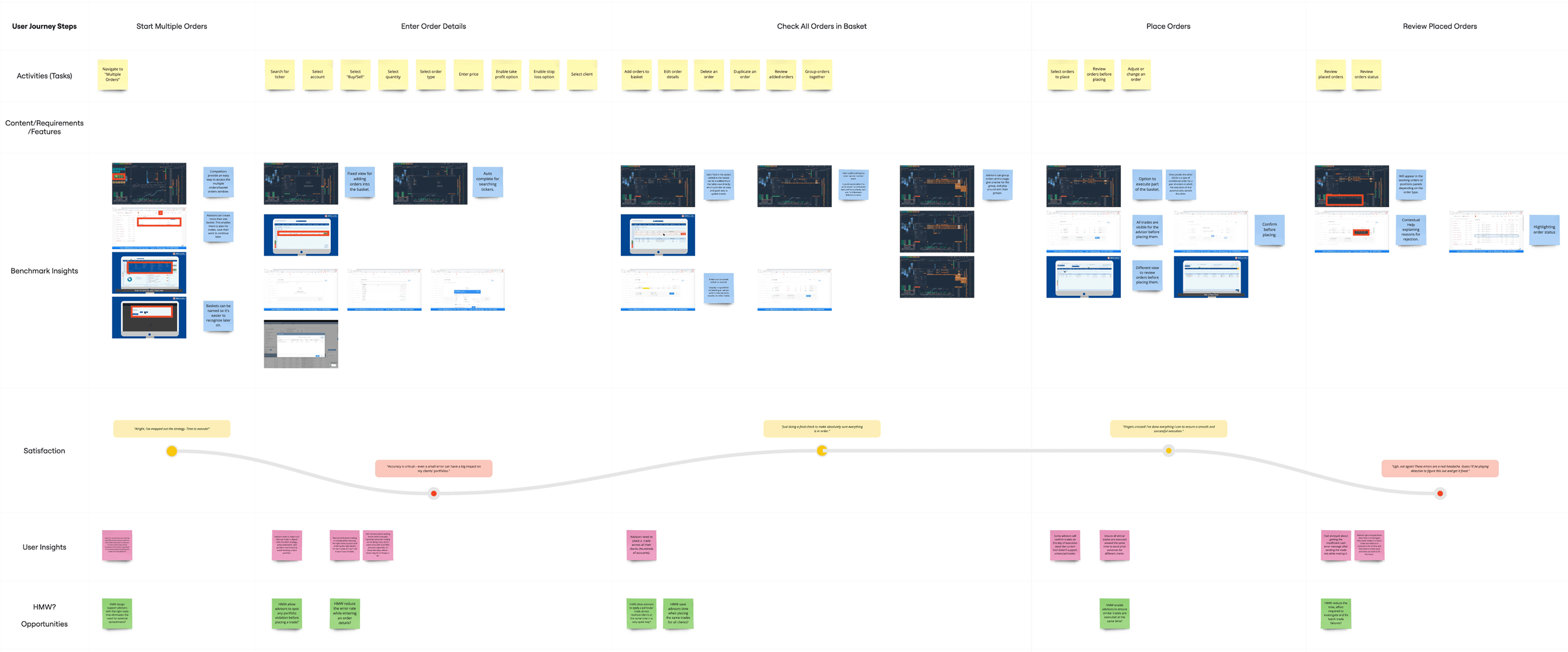
Mapping traders’ workflow
Beyond the workflow itself, we discovered the solution had to align with UAE-specific business rules and regulatory requirements:
- Portfolio managers can only submit one security per trade for one client portfolio.
- Trade violations (such as exceeding a 10% position limit) often block orders. Senior portfolio managers can override certain flags with proper justification, so the design needed a clear way to display alerts, allow overrides, and capture audit details.
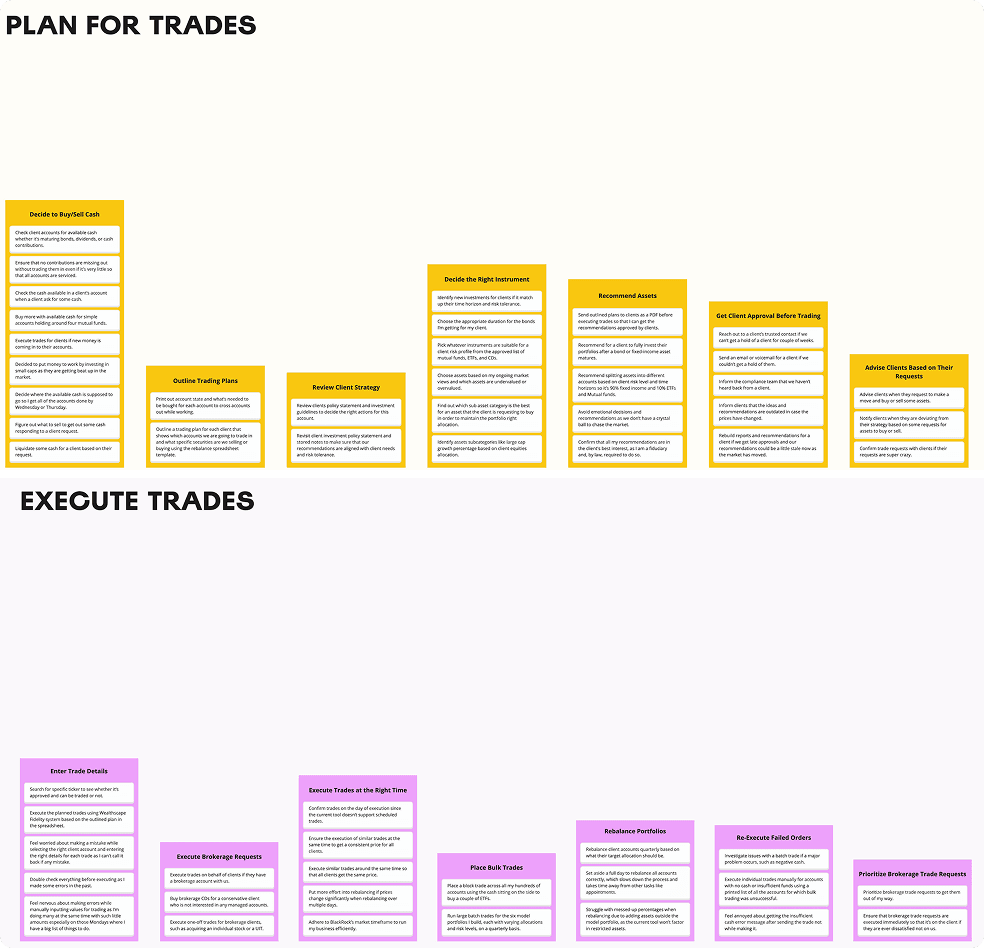
Documenting key activities for order planning and trade execution
These workshops surfaced how managers actually think about multi-portfolio trades. The work splits into two stages. In staging, they prepare everything - pulling up the right clients, picking portfolios, entering trade details, and tracking which orders are ready to go. In review, they double-check allocations and pricing, then execute.
Validating initial concepts
The research surfaced a clear two-stage structure: staging (preparing all orders) and review (confirming and executing). This became the foundation of my design exploration. I considered two UI approaches that could make the rest of the workflow feel intuitive despite its complexity:
- Step-by-step wizard
- Interactive table (“Blotter”)
Concept 1: Step-by-step wizard
A guided workflow broken into sequential steps: users selected clients on the left side panel, and other details (portfolios, order information) appeared on the right, making it easier to scan. The wizard simplified the task by showing only a subset of information at each step, reducing cognitive load.
Concept 2: Interactive table (“Blotter”)
A spreadsheet-style multi-trade tool where users created orders directly within a table. The challenge was clutter: fitting portfolio names, holdings, cash available, input fields, and warnings into one view without overwhelming users.
The blotter was clearly preferred — users liked the at-a-glance overview and quick data entry, with one calling it "like Excel, but integrated into the system."
Testing also surfaced a structural issue: the design didn’t clearly separate the two stages — staging and review. I needed to make the workflow’s structure visible so users always knew where they were in the process.
Refining the table experience
Based on testing feedback, I addressed the blotter’s shortcomings:
- Frozen action column: critical actions (duplicate, overrides) stay visible while scrolling.
- Early compliance warnings: violations show during order creation via icons, tooltips, and a resolution sidebar.
- Distinct staging and review tabs: users always know where they are in the workflow.
- Editable row highlighting: new orders stand out instantly.
- Compliance filters: “With/No Violations” with counts help navigate large portfolio sets.
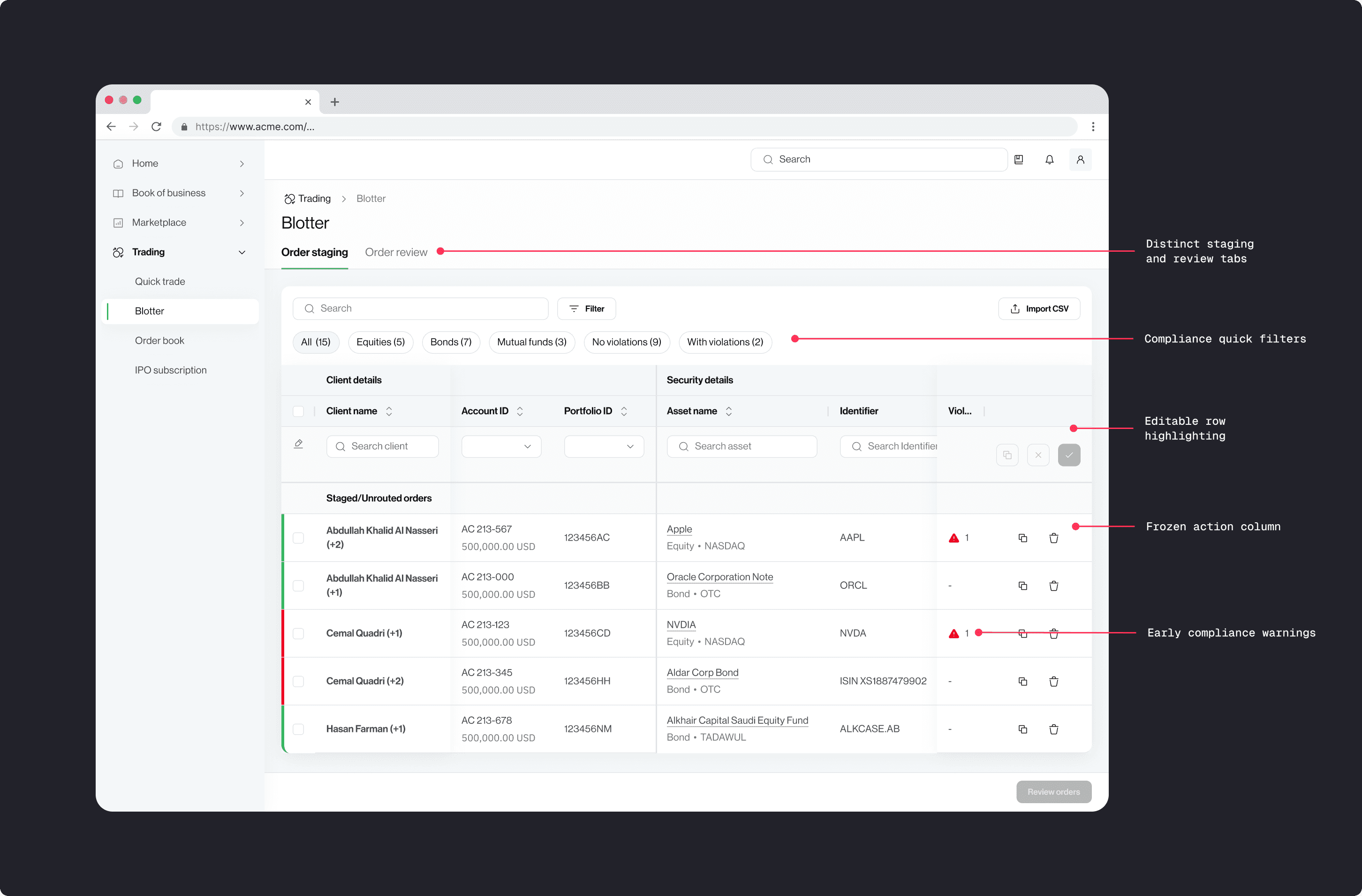
Final blotter: staging view with inline compliance warnings
Final solution
The final design converged on a single-page blotter with staging and review tabs. This combined the efficiency of the table approach with the structured guidance, allowing portfolio managers to execute trades quickly and accurately. Blotter design allowed experienced traders move fast through bulk entries, while newer users had enough structure to stay confident.
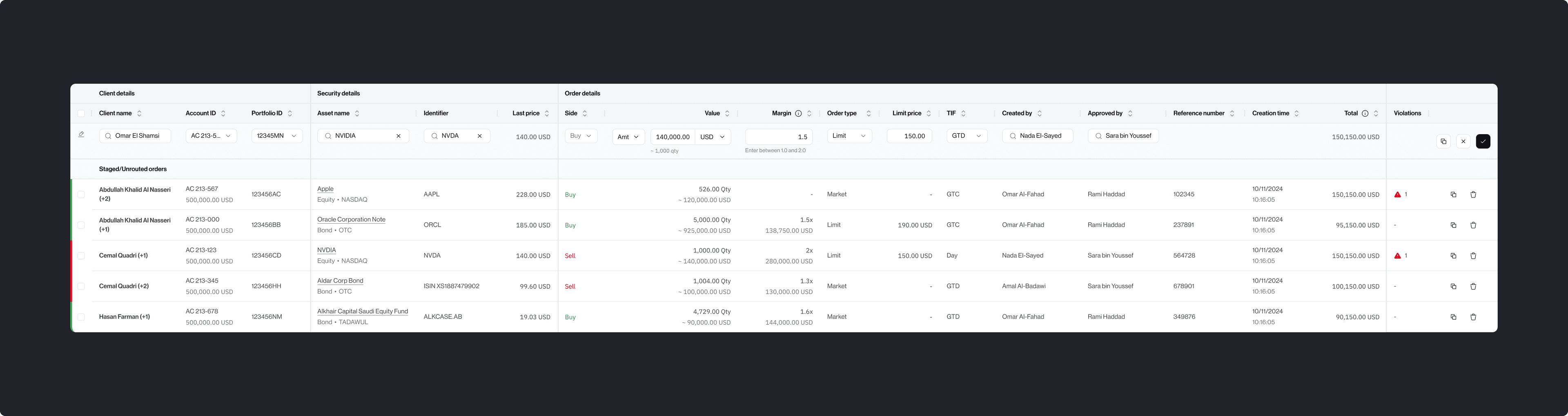
Order staging: Portfolio managers configure and preview all orders before review
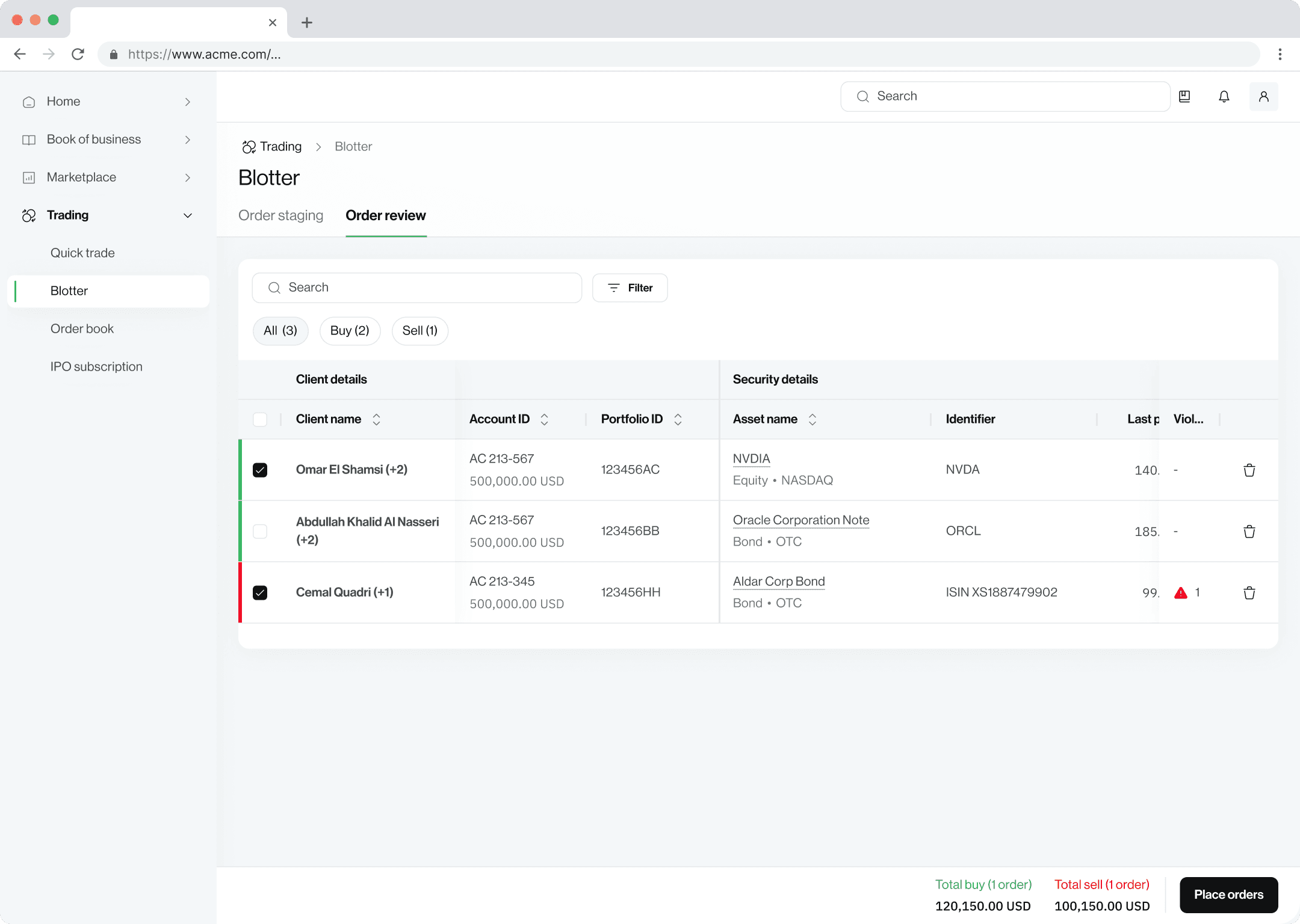
Final review: Portfolio managers verify trade parameters before execution
Results
The bulk trading feature became a key tool for portfolio managers, allowing them to place trades across multiple accounts in just a few steps. Instant compliance checks and controlled overrides reduced friction in their workflow. Customers saw higher trade volumes and stronger regulatory compliance, driving better business outcomes.
The wizard worked for newer users but slowed experienced traders down — the extra clicks and screen transitions added friction for big blocks.